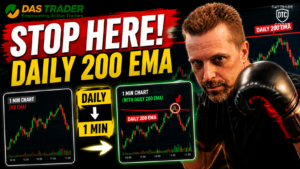

Auto-Draw Intraday 200 EMA
Topics covered:
• Creating a dedicated Daily chart for scripting
• Adding and configuring the Daily 200 EMA
• Reading indicator values from another chart
• Using DAS objects and chart references
• Displaying values in the DAS log for testing
• Drawing custom lines on a 1-minute chart
• Automatically updating chart levels with a timer script
• Building reusable chart automation techniques
The script(s) featured in this episode are provided below for educational and reference purposes. Trading stocks, options, futures, and other financial instruments involves substantial risk of loss and is not suitable for all investors. You may lose some or all of your invested capital. Always review and thoroughly test any code in a simulator before using it in a live trading environment.
This video is provided by YouTube. It is blocked until you accept functional cookies.
Important!
Some of these scripts may also rely on scripts created in previous episodes.
Any
updates to scripts will be shown below, but any scripts left unchanged would
need to
be sourced from the episode they were featured in. It is recommended to watch
all
videos in this series in order, that way you can piece together a working system
with a good understanding of all the connected parts.
onload script
This script is from a previous episode. Changes have been marked in the file so you can follow what was adjusted in this episode.
ExecHotkey("INIT");
INIT (NEW) (This script was introduced in this episode)
//INIT (runs only on DAS load desktop layout)
$chart_1m = GetWindowObj("chart1m");
$chart_daily = GetWindowObj("chartd");
ExecHotkey("OBJECT_INIT_TRADE");
OBJECT_INIT_TRADE (NEW) (This script was introduced in this episode)
//OBJECT_INIT_TRADE
if (GetVar("$TRADE")==0) $TICKER=0;
if (!IsObj($TRADE)) $TRADE = newUserObj();
$TRADE.DAILYEMA200 = 0;
$TRADE.DAILYEMA200_LAST = 0;
$TRADE.DAILYSMA200 = 0;
$TRADE.DAILYSMA200_LAST = 0;
$TRADE.TIME_ON_TICKER = 0;
$TRADE.CHART_LAST_SYMB = "";
CHART script
This script is from a previous episode. Changes have been marked in the file so you can follow what was adjusted in this episode.
ExecHotkey("CHART_UPDATE");CHART_UPDATE (NEW) (This script was introduced in this episode)
//CHART_UPDATE (runs every time chart object updates data)
if ($TRADE.CHART_LAST_SYMB != $chart_1m.SYMBOL){
    $TRADE.CHART_LAST_SYMB = $chart_1m.SYMBOL;
    $TRADE.TIME_ON_TICKER = 0;
    $TRADE.DAILYSMA200 = 0;
    $TRADE.DAILYEMA200 = 0;
}
$TRADE.TIME_ON_TICKER = $TRADE.TIME_ON_TICKER + 1;
timer script
This script is from a previous episode. Changes have been marked in the file so you can follow what was adjusted in this episode.
ExecHotkey("TIMER");TIMER (NEW) (This script was introduced in this episode)
//TIMER
if ($TRADE.TIME_ON_TICKER > 3 && $TRADE.DAILYSMA200 == 0){
    ExecHotkey("EMA200");
}
EMA200 (NEW) (This script was introduced in this episode)
//EMA200
$TRADE.DAILYEMA200 = $chart_daily.getStudyVal("DailyEMA200");
$TRADE.DAILYSMA200 = $chart_daily.getStudyVal("DailySMA200");
$bar0 = $chart_1m.GetBar(0);

if (IsObj($chart_daily)){
    if ($TRADE.DAILYEMA200_LAST != $TRADE.DAILYEMA200){
        if (IsObj($chart_1m.GetTrendline("EMA_200"))){
            $chart_1m.GetTrendline("EMA_200").Delete();
        }

        $chart_1m.CreateTrendline("HorizLine, Price=" + $TRADE.DAILYEMA200 + ", Name=EMA_200, LineStyle=DotLine, LineWidth=5, Color=#8E7CC3, LabelTextColor=#000000, LabelBGColor=#8E7CC3");

    }

    if ($TRADE.DAILYSMA200_LAST != $TRADE.DAILYSMA200){
        if (IsObj($chart_1m.GetTrendline("SMA_200"))){
            $chart_1m.GetTrendline("SMA_200").Delete();
        }

        $chart_1m.CreateTrendline("HorizLine, Price=" + $TRADE.DAILYSMA200 + ", Name=SMA_200, LineStyle=DotLine, LineWidth=5, Color=#B4A7D6, LabelTextColor=#000000, LabelBGColor=#B4A7D6");

    }

    $TRADE.DAILYEMA200_LAST = $TRADE.DAILYEMA200;
    $TRADE.DAILYSMA200_LAST = $TRADE.DAILYSMA200;
}


//EMA200 - update button
if (IsObj($chart_1m.getCustButObj("EMA_200"))){
    if ($bar0.Close < ($TRADE.DAILYEMA200 - 0.50)){
        $chart_1m.getCustButObj("EMA_200").BkColor = Color("Green");
    } else if ($bar0.Close > ($TRADE.DAILYEMA200 - 0.25) && $bar0.Close < ($TRADE.DAILYEMA200 + 0.01)){
        $chart_1m.getCustButObj("EMA_200").BkColor = Color("Red");
    } else if ($bar0.Close < $TRADE.DAILYEMA200){
        $chart_1m.getCustButObj("EMA_200").BkColor = Color("Yellow");
    } else {
        $chart_1m.getCustButObj("EMA_200").BkColor = Color("Green");
    }
    $chart_1m.getCustButObj("EMA_200").Text = " " + Round($TRADE.DAILYEMA200,2);
}
Disclaimer:
This is an independent project and is not affiliated with or endorsed by DASTrader.com.
The tool is currently under development and intended for educational and experimental purposes only,
including improving the experience of working with DAS hotkey scripting (e.g., code validation,
highlighting, and structure).
It does not execute trades, provide trading signals, or offer financial advice. Any scripts created or used
with DAS Trader remain the sole responsibility of the user.
Trading involves significant risk. You are fully responsible for verifying all scripts, commands, and
behavior before using them in a live trading environment.
This tool is provided “as-is” with no guarantees of accuracy, completeness, or reliability. Use at your own
risk. Always test thoroughly in a simulator before live trading.
More Videos